Admin Template 2026 – The Bossy Dashboard Your Business Needed
As opposed to looking for details buried in spreadsheets and switching between different applications, these Admin templates give you all your important data in one simple format. This gives you an overview of activity concerning your users, orders, income, and delivery of your products. Everything is clear and functional without being too complicated.
Admin Templates Bootstrap solutions can help in keeping an eye on growth, trends and performance without spending too much time looking for information. Being a Responsive Admin Dashboard Template, it provides a flexible design that operates efficiently on multiple devices. The responsive web application kit makes the Admin Template solution very reliable for day-to-day operations and future planning as well.
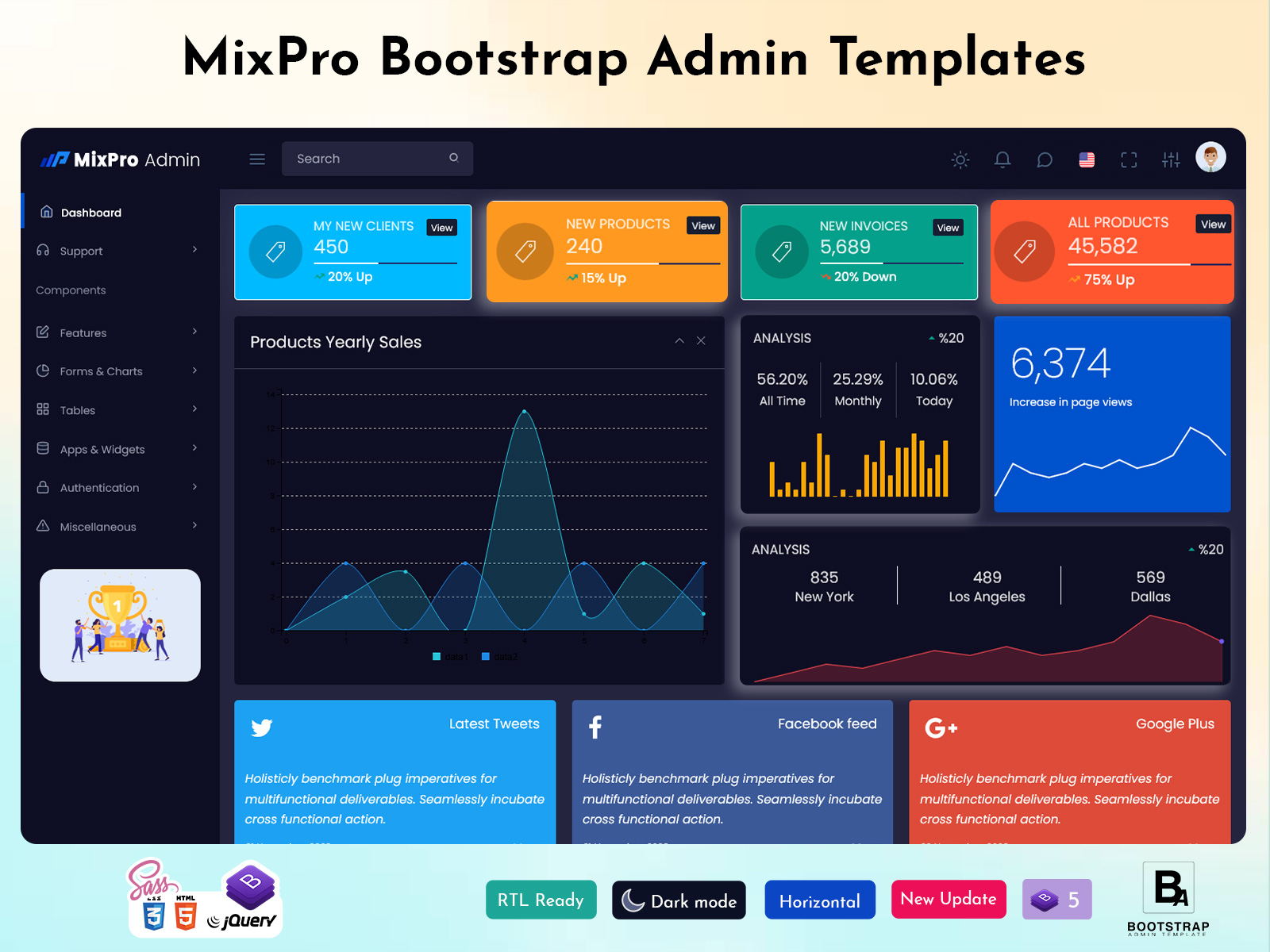
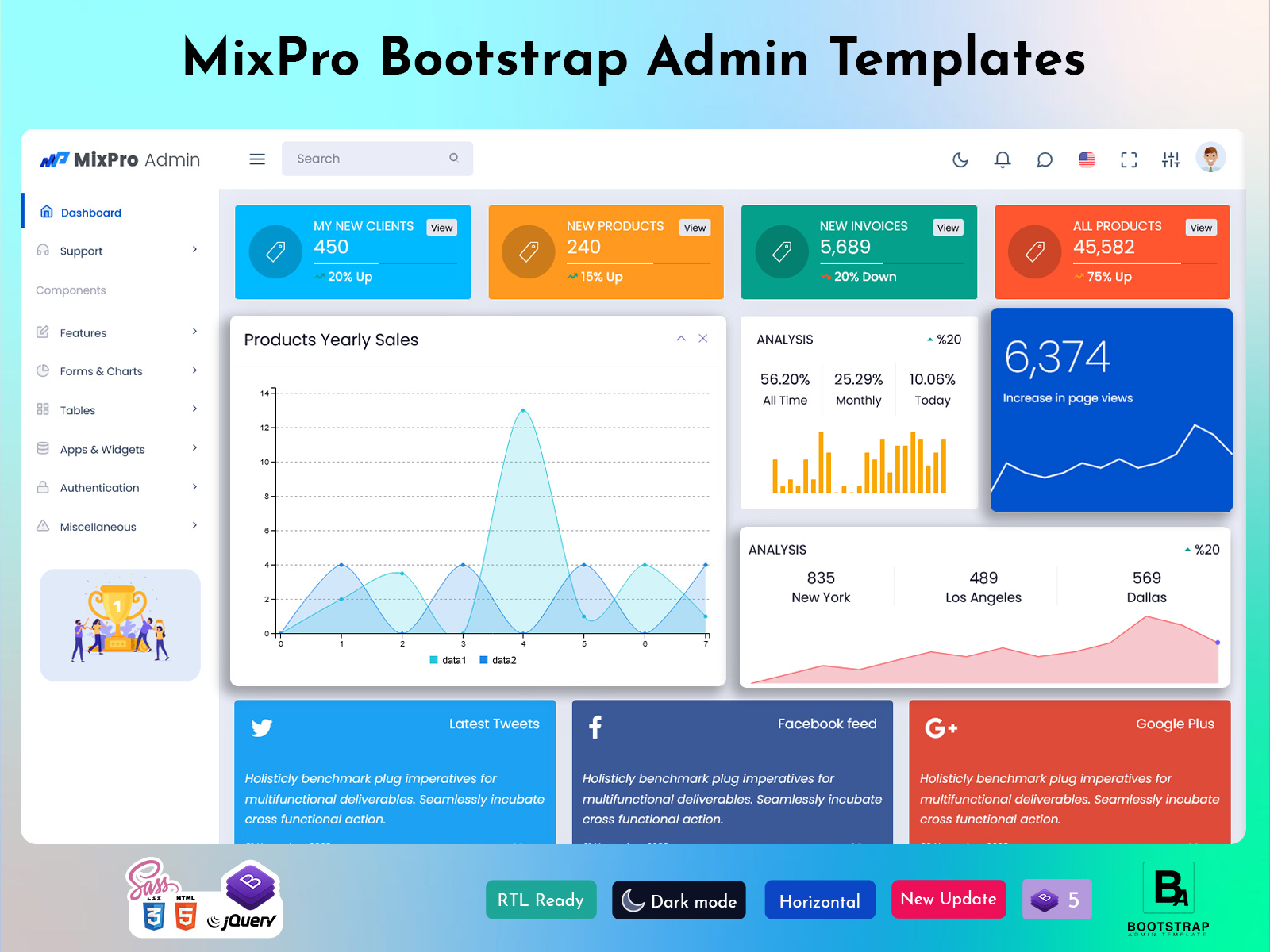
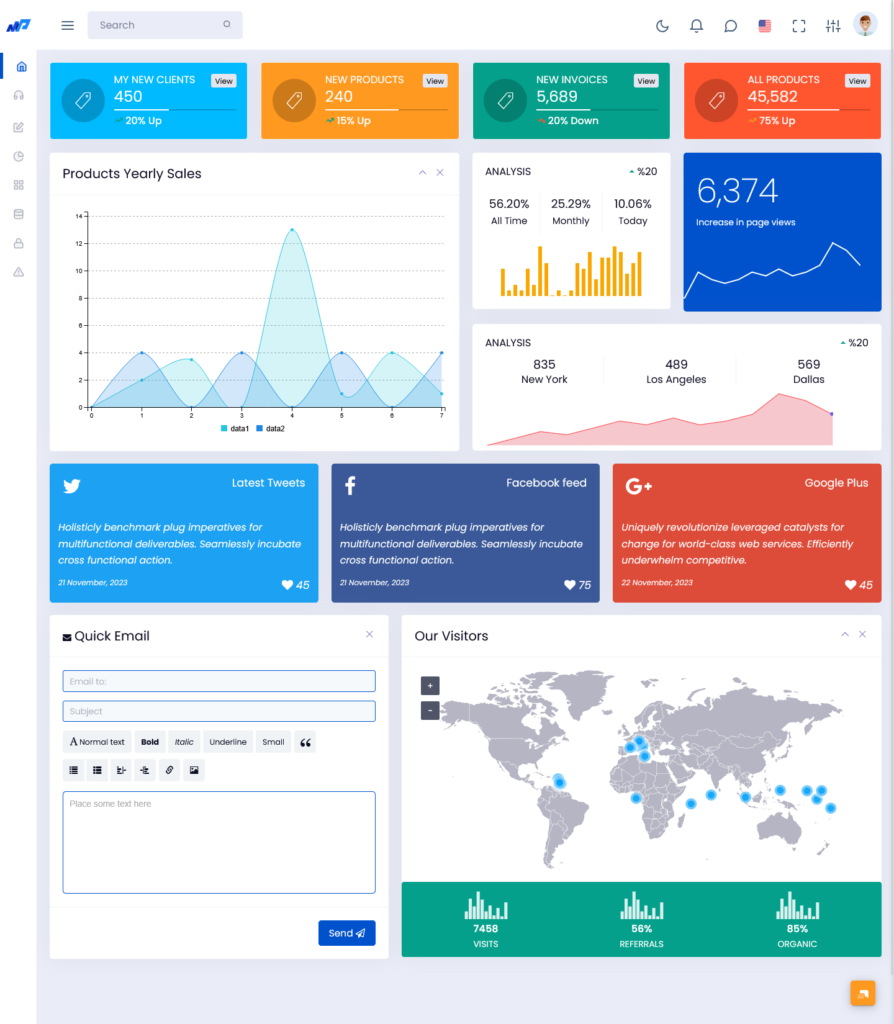
Explore Dashboard of Mix Pro Admin
Light Version Dashboard
BUY NOW DEMO
Dark Version Dashboard
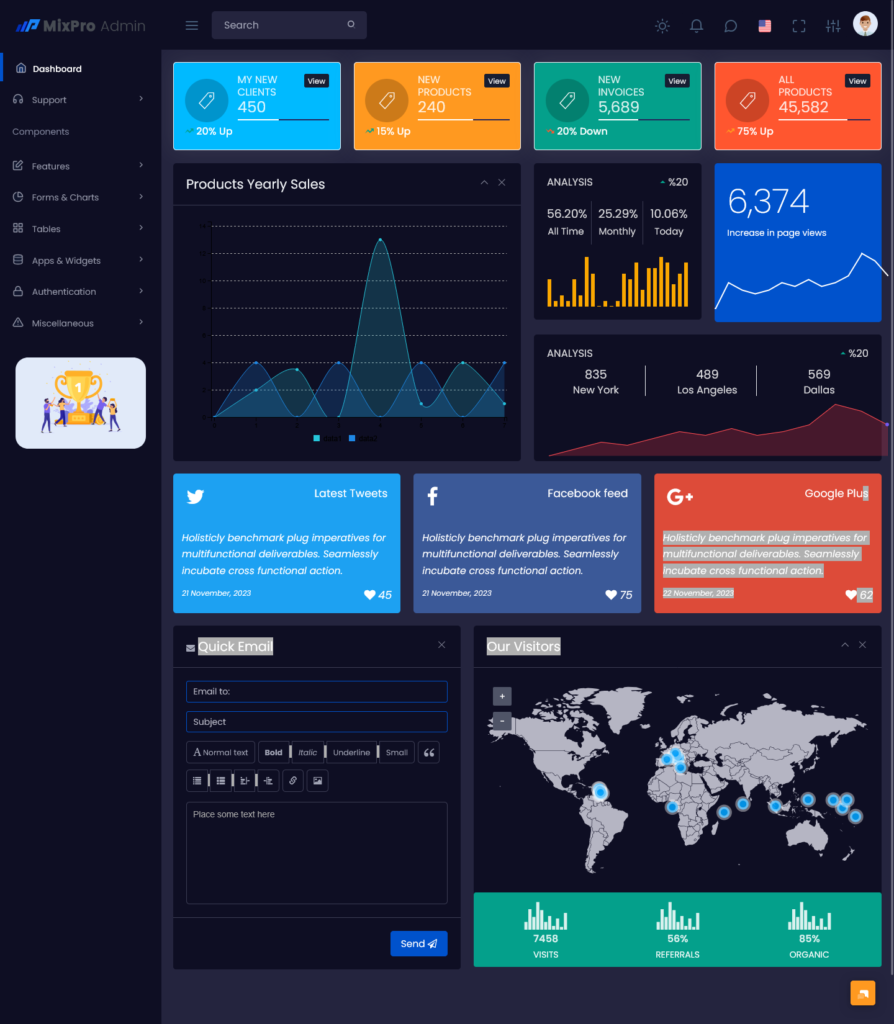
BUY NOW DEMO
Key Metrics That Represent Your Business Activity
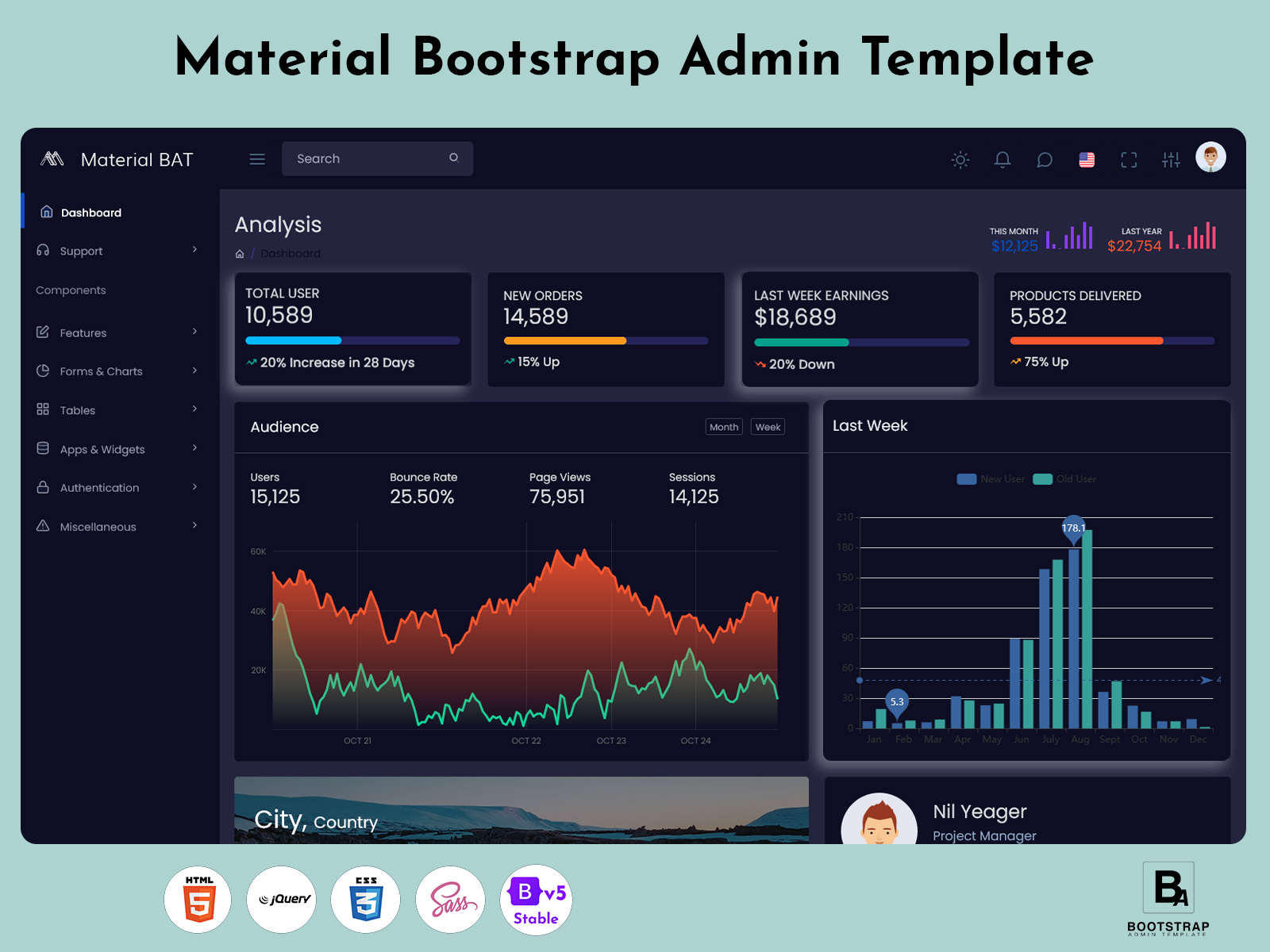
Total Users
The Total Users section highlights the size of your platform’s audience. It reflects how many individuals have joined and represents the ongoing interest your business attracts. This simple number says a lot about your brand’s reach and overall presence in the market, making it an important feature of modern Admin Dashboard Templates.
New Orders
New Orders show active customer activity. Every new order tells a story—someone discovered your product, trusted your service, and decided to buy. By keeping this number visible, the dashboard helps teams understand buying patterns and respond quickly to changes through a clean and organized Responsive Admin Dashboard Template.
Earnings From Last Week
This figure displays your recent financial performance. With weekly earnings presented in a straightforward format, it becomes easier to compare revenue, identify slow periods, and recognize strong sales weeks. This is one of the areas where Admin Templates Bootstrap solutions deliver clarity, making financial review simple and practical.
Products Delivered
A direct reflection of how well your fulfillment system is working, Products Delivered indicates reliability, successful processing, and customer satisfaction. When this number rises steadily, it signals smooth operations across your supply chain. With a flexible Responsive Web Application Kit, teams can monitor these essential metrics efficiently from a well-structured dashboard.
Understanding Audience Behavior
Audience Metrics
The dashboard has a section called Audience Metrics that shows exactly how people use your website. In trying to figure out what users are doing this part shows the most important numbers. The Admin Dashboard Templates show changes in users the percentage of people who leave after one page how many pages are. How many times people come to the site. All of this is shown in a simple and easy to understand way.
This helps in knowing the number of visitors to the website as well as how they are navigating within the website, how involved they are, and which web pages work best for catching their attention. With the help of a Responsive Admin Dashboard Template, all this information stays accessible from any device. Along with the features of the Admin Templates Bootstrap and Responsive Web Application Kit, the dashboard becomes an effective tool to analyze the behavior of the target audience.
User Growth and Engagement (Graph)
The graph in the Audience Metrics section compares new and returning users over the last week, alongside bounce rate, page views, and session counts. This multi-layered view provides several insights at once:
- Users: Shows the total traffic and how it changes day by day.
- Bounce Rate: Indicates the percentage of visitors leaving after viewing only one page, helping identify areas that need improvement.
- Page Views: Highlights which pages attract the most attention and engagement.
- Sessions: Tracks the number of visits to the platform, revealing overall activity levels and repeat engagement.
By integrating all four measures into one image, the Admin Dashboard Templates make it possible for administrators to gauge both the quality and volume of interaction between their audiences. It is easy to tell whether the new users are making the rounds in the system or just logging off immediately.
The use of a neat and pliable Responsive Admin Dashboard Template makes it easy to track all these facts from any device. The use of Admin Templates Bootstrap elements together with a useful Responsive Web Application Kit helps one easily understand the audience and make decisions on how to proceed with the marketing plans.
Sales Analytics Dashboard for Revenue and Performance
Track Total Sales and Monthly Revenue
The Sales Overview area provides the administration team with an overview of the total sales in the current month. Presenting the sales in dollar figures simplifies the process of evaluating business performance, comparing performance between periods, measuring marketing campaign success, and creating achievable business goals. With the use of Admin Dashboard Templates, businesses can easily organize their sales information on one dashboard.
Monitor Sales Contribution Across Various Channels
The Sales Contribution area is the section where there is clarity about how the various channels or products add up to revenue. Admin Dashboards make it easy for you to know these aspects through an understandable manner so that it becomes easier for you to know where your sales come from and where your sales need more work. This can be done through the Responsive Admin Dashboard Template.
Analyze Product Performance and Sales Trends
Product Contribution helps businesses understand which products or categories are performing well. Using Admin Templates Bootstrap, teams can present product performance through clear visual elements that make trends easier to identify. This helps administrators understand customer preferences, plan inventory, identify popular products, and create more effective promotional strategies.
Measure Community Engagement and Business Impact
Community Contribution adds another layer of insight by showing how customer interactions can support overall business performance. Comments, reviews, discussions, and other forms of user engagement can provide valuable signals alongside direct sales data. As part of a Responsive Web Application Kit, these engagement metrics can be monitored together with revenue and product performance to provide a more complete view of business activity.
Make Data-Driven Decisions With a Responsive Admin Dashboard
This is achieved through consolidation of all these factors within the same platform to simplify understanding and action on business data. With these Admin Dashboard Templates, the key performance indicators and trends can be monitored without having to switch tools for business decision making.
Responsive Bootstrap Admin Dashboard Design and Layout
Visual Structure of Being Clean and Organized
Admin Dashboard Templates have a visual structure that is clean and easy to read. The structure is clean because the content has been well organized based on their functions. With the clean structure, users are able to access necessary information without much effort since all the required information is available on a single screen.
Responsive Design for Seamless Navigation
The dashboard flows effortlessly regardless of the size of the screen. Whether on a desktop computer, tablet, or mobile phone, the dashboard remains consistently easy to use. In this way, the responsive design makes the Responsive Admin Dashboard Template ideal for people who are working in remote locations, traveling, or from different places. Administrators can view essential metrics and perform their tasks independently of the specific device they are using.
Built With Bootstrap for Flexible Customization
The system is built on Bootstrap, providing a reliable foundation with clean design patterns and a flexible development structure. This makes the Admin Templates Bootstrap approach suitable for projects that require a combination of functionality, consistency, and customization. Developers can easily adapt layouts, components, and interface elements according to specific project requirements.
Flexible Responsive Web Application Kit
In an effort to develop an effective Responsive Web Application Kit, the dashboard will allow developers to take advantage of design patterns and interface design that can be used to build diverse web applications. It will do this by virtue of its responsive design, organized components, and Bootstrap framework.
Customization Options for Flexible Admin Dashboard Templates
BootstrapAdminTemplate provides flexible and customizable admin dashboard solutions designed for different web application requirements. Its templates offer a range of layouts, UI components, widgets, charts, forms, tables, and other ready-to-use elements that developers can customize according to their project needs.
With Admin Dashboard Templates and Admin Templates Bootstrap, BootstrapAdminTemplate gives developers the flexibility to modify dashboard layouts, navigation, colors, components, and other interface elements. Its Responsive Admin Dashboard Template options are designed to provide a consistent experience across desktop, tablet, and mobile devices.
The collection also works as a Responsive Web Application Kit, providing a practical foundation for developers who want to build and customize professional admin panels and web applications without creating every interface element from scratch.
Make Faster Decisions With Real-Time Dashboard Insights
Real-Time Access to Business Data
With the dashboard, all crucial information is always at hand even as the information keeps changing. Teams can therefore stay informed about the current activities of the business. By having real-time information, it becomes possible to monitor any changes happening in sales, user actions, and operational performance. This is done through the use of Admin Dashboard Templates.
Identify Business Opportunities
Insights regarding user growth, product deliveries, sales distributions, and engagement can allow companies to know which aspects need focus. The Responsive Admin Dashboard Template brings together all important statistics in a concise and comprehensible way, allowing for easier pattern recognition.
Support Long-Term Business Growth
Consistent access to business metrics helps companies see how they are doing over time. It shows performance trends. How audiences behave. Admin Templates Bootstrap offers a structure to keep track of important activities. A flexible Responsive Web Application Kit makes it easy to bring data together in one dashboard. This gives a view of what is happening. These insights can help with planning, marketing analysis, tracking performance and shaping business strategies.
Why These Admin Dashboard Templates Stand Out
Straightforward and Practical Design
Most dashboards end up being confusing for users because there are just too many widgets, graphs, and complicated ways of viewing data. The following Admin Dashboard Templates emphasize the presentation of only the essential data in a well-organized manner. The simple design allows one to access all business-related data in an easy way.
The Right Balance Between Detail and Simplicity
The dashboard includes helpful information without cluttering the UI. Information is structured in charts, metrics, percentages, and so on. As the Responsive Admin Dashboard Template, it provides an accessible experience to all kinds of users including tech-savvy and not tech-savvy users on various devices.
Reliable for Everyday Business Operations
The dashboard is built to help with business monitoring and daily administrative work. Teams can use it to track sales check product performance or keep an eye on user activity. All the key information stays organized and simple to reach. Using Admin Templates Bootstrap and a flexible Responsive Web Application Kit businesses can handle dashboard tasks with an easy-, to-use interface. The design stays consistent and practical for use.
Conclusion
The business metrics dashboard brings together the essential information companies need to stay informed and make confident decisions. With dedicated sections for users, orders, earnings, deliveries, audience behavior, and sales contributions, the dashboard provides a complete view of business performance.
The structured design of these Admin Dashboard Templates makes it easier for teams at different levels to access and understand important metrics. Built with a clean and responsive interface, the Responsive Admin Dashboard Template supports efficient monitoring across different devices.
Backed by the flexibility of Admin Templates Bootstrap, the simplicity of the dashboard interface, and the practical features of a Responsive Web Application Kit, the system remains accessible and suitable for everyday business use. Together, these Admin Dashboard Templates create a centralized hub where teams can monitor performance, understand key trends, and respond quickly to changing business needs.
Frequently Asked Questions (FAQs)
What is an Admin Template?
An Admin Template is a ready-made dashboard layout that shows all your important business numbers in one place. Instead of checking different reports or spreadsheets, you can see users, orders, earnings, and deliveries in a single view.
What KPIs does this dashboard show?
The dashboard tracks the most important numbers, like total users, new orders, weekly earnings, products delivered, bounce rate, page views, sessions, and monthly sales in dollars. These KPIs give a quick look at how your business is doing.
What is a Bootstrap Admin Template?
A Bootstrap Admin Template is built using the Bootstrap framework, which makes it responsive and easy to use on different devices. It also helps developers make changes or add features without breaking the design.
What audience data can I see in this dashboard?
The Premium Admin Dashboard shows detailed audience info, including:
- Users: How many people visited your platform
- Bounce Rate: How many left after looking at one page
- Page Views: Which pages are popular
- Sessions: How many times people visited
This helps you understand user behavior and plan improvements.
How does the sales overview work?
You can see total sales this month in dollars, plus how different products or channels are performing. It also shows which products are popular and how community engagement contributes to sales.
Who can use this dashboard?
The Admin Dashboards work for different teams:
- Business owners can get a quick overview
- Managers can plan and track performance
- Developers can customize or add features
Can I use it on a phone or tablet?
Yes. The Dashboard Admin Template is responsive and works on laptops, tablets, and phones. You can check important numbers from anywhere.
How does this dashboard help me make decisions?
By showing real-time numbers and trends, it helps you spot growth, understand what’s working, and fix problems fast. You can see what’s popular, where users are leaving, and which products are selling best.
Can I change how the dashboard looks or works?
Yes. The Admin Template is flexible. You can rearrange sections, add charts, or make other changes to match your team’s needs.
Why choose this Premium Admin Dashboard ?
It’s simple, clear, and reliable. It shows the numbers that matter, keeps things easy to understand, and works for both small and big teams. It helps you focus on growth without getting lost in too much data.