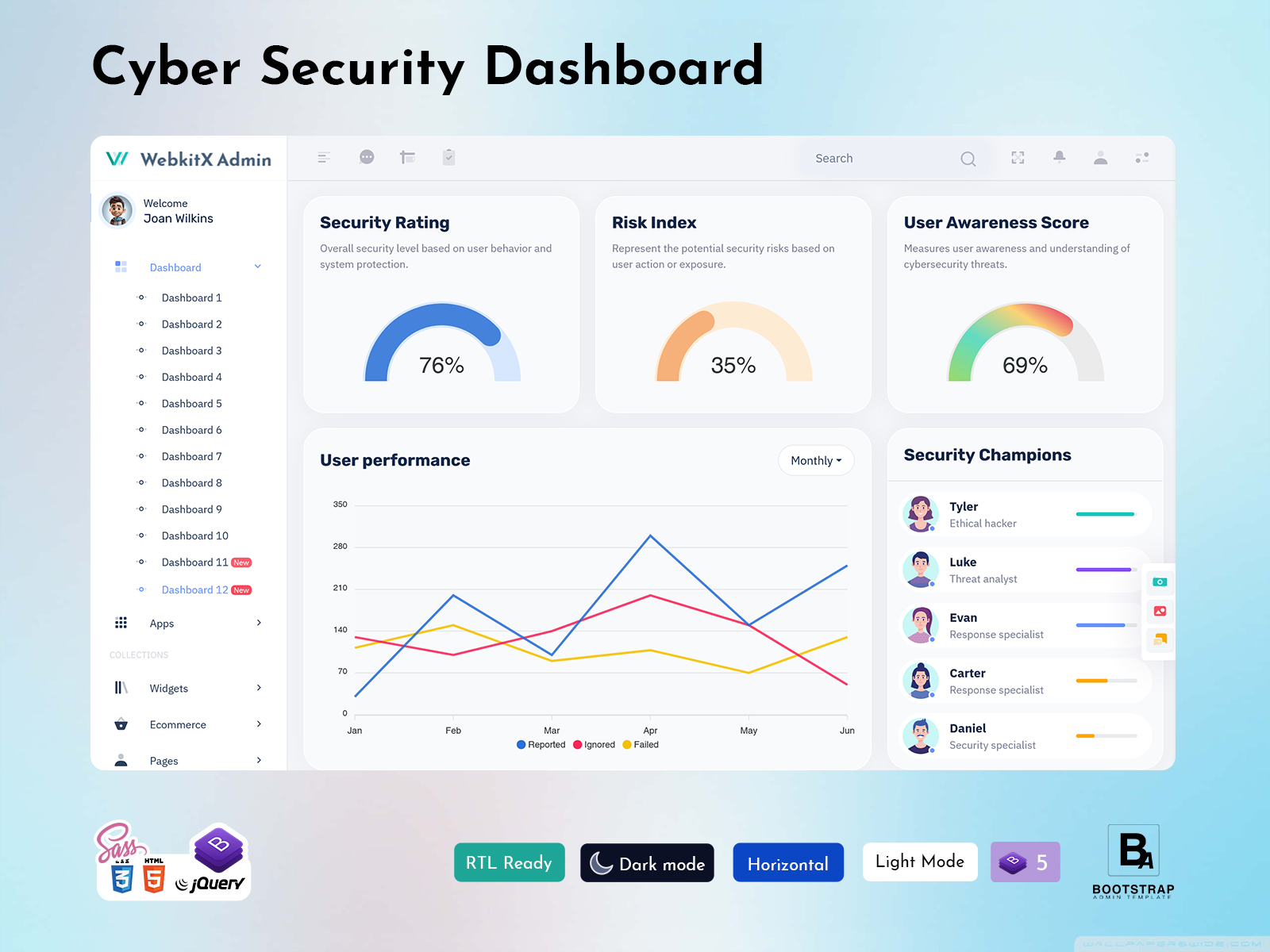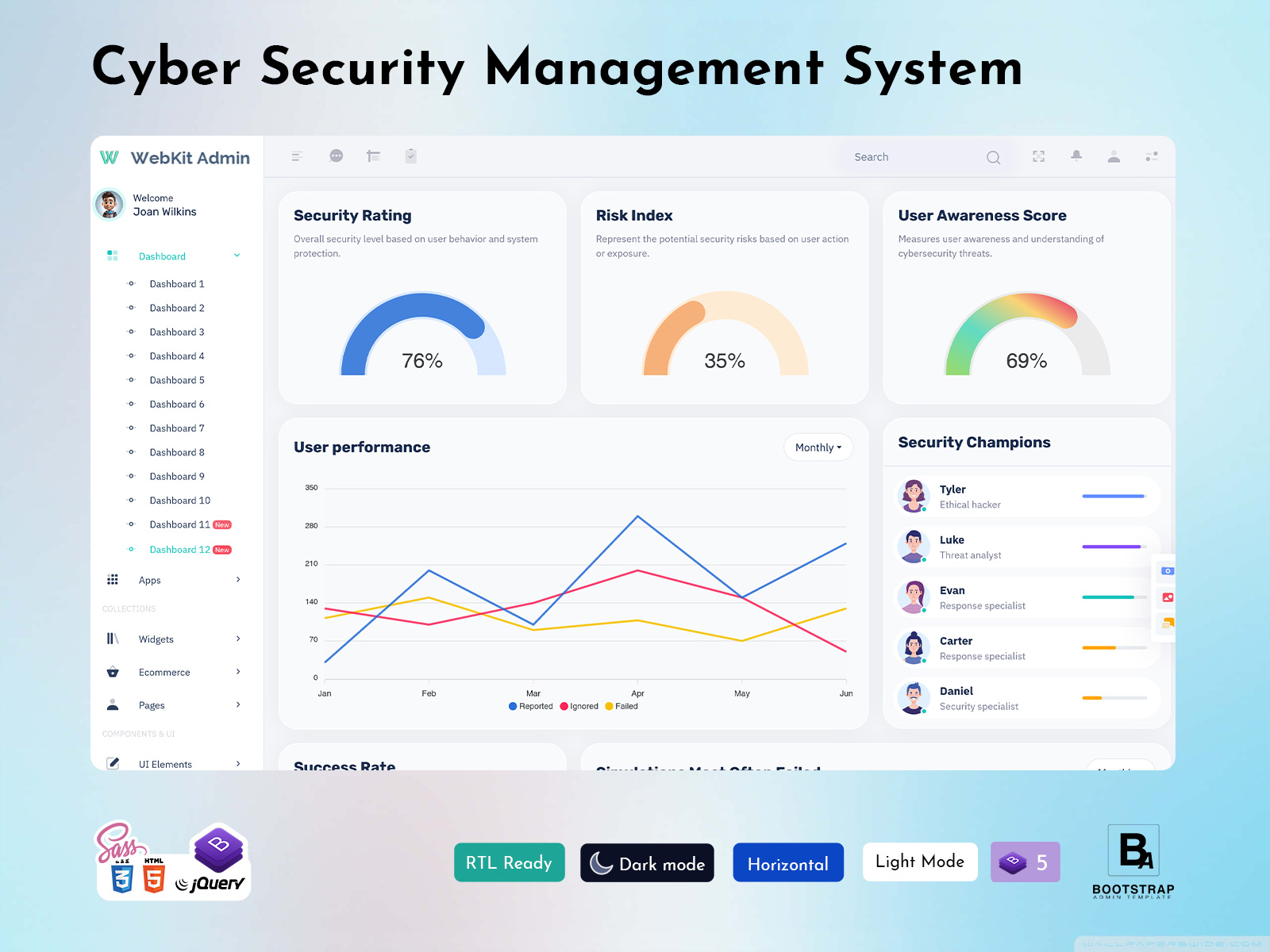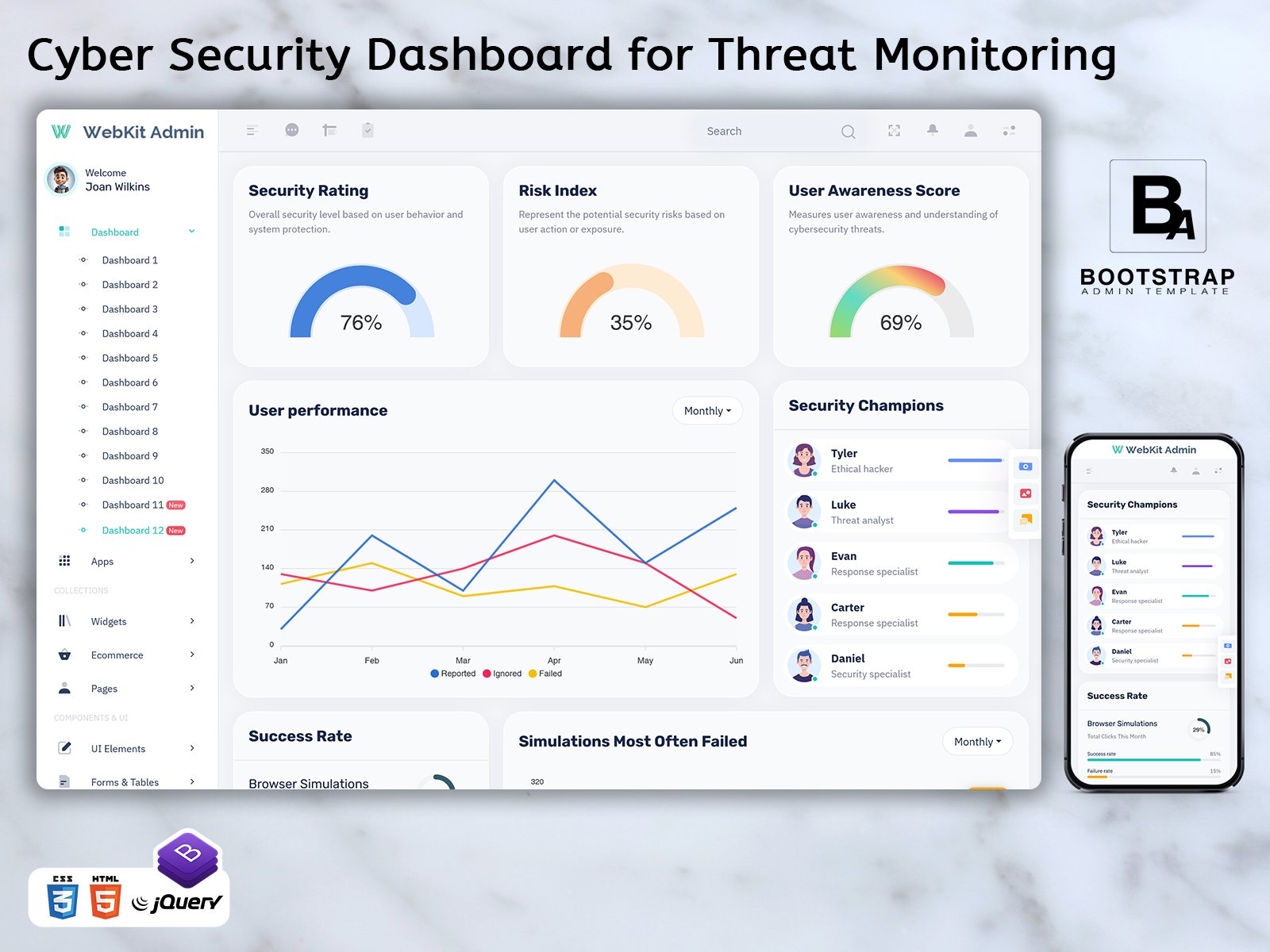
Cyber Security Dashboard for Threat Monitoring
What Is a Cyber Security Dashboard?
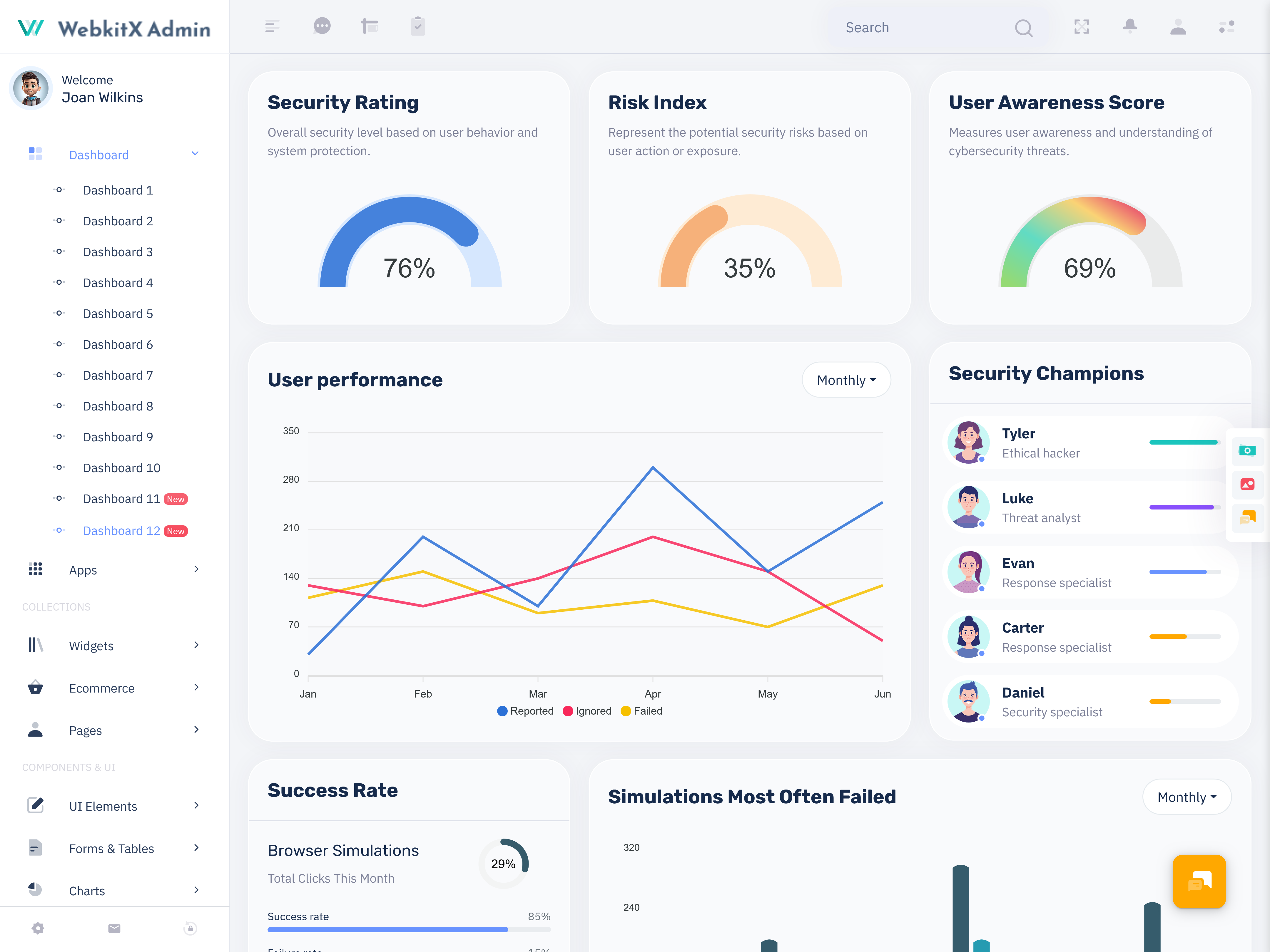
A Cyber Security Dashboard is a centralized interface that helps security teams understand what is happening across a digital environment without having to examine every system separately. Instead of presenting security information as disconnected logs, notifications, and technical records, the dashboard organizes relevant information into a view that can be reviewed according to a team’s daily priorities.
It is not merely about displaying more data. Security personnel often have to contend with a lot of activity going on, but not all of the activity warrants equal priority. A good Security Dashboard makes it easy to differentiate normal activity from those that should be investigated further. This makes it easier for administrators to pinpoint what exactly was altered, where, and on what system.
A Cybersecurity Dashboard can also help create a common working view for different people within an organization. A security analyst may need detailed event information, while an administrator may be more interested in affected systems, unresolved issues, or the current state of security operations. Presenting information in an organized structure allows each person to concentrate on the information relevant to their responsibilities.
Another key role that the dashboard plays is that of context maintenance. It is quite challenging to make sense out of one security incident if one examines it on its own. It becomes much more straightforward to make sense of the situation if all the related actions, timestamps, resources affected, user activity, and past incidents can be examined together.
This may be done through the use of a Security Analytics Dashboard which allows past and present data to be viewed in one place. Analysts will be able to review the differences in activity that have been observed at different times, as well as any abnormalities.
For organizations managing websites, applications, internal systems, cloud services, or business platforms, this type of interface can provide a practical way to organize security information. It does not replace security tools themselves. Instead, it acts as a clearer operational layer through which teams can understand information and decide what needs attention.
How Does a Cyber Security Dashboard Organize Security Information?
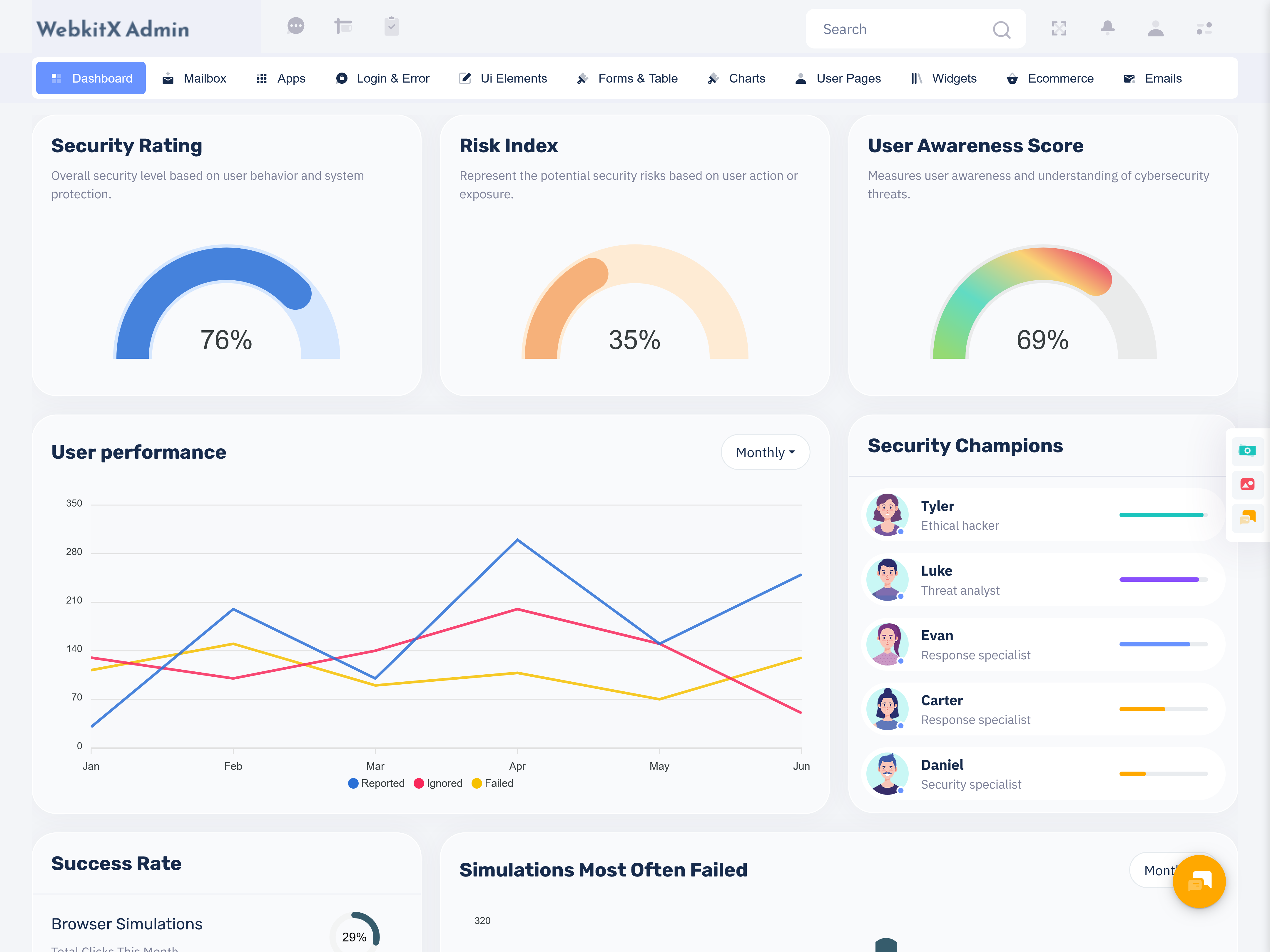
The Cyber Security Dashboard needs to have a design that caters to the actual investigative process followed by the security personnel. It need not put all metrics on the screen but can instead organize them in order of priority and action to be taken.
One useful approach is to begin with the current security situation. The opening view can show items that need attention, recently changed conditions, unresolved incidents, and events that have crossed a defined threshold. This allows an analyst to quickly understand whether the environment is stable or whether further investigation is necessary.
The next layer can provide supporting information. When an unusual event is selected, the interface should help users move from a broad summary toward the underlying details. For example, an analyst may want to review when an event started, which resource was involved, what activity occurred around the same time, and whether similar events appeared previously.
History is another important part of this process. Security activity becomes more meaningful when current events can be compared with previous records. A dashboard can therefore help teams recognize recurring situations instead of treating every event as completely new.
User-focused organization also matters. A security manager may need an overview of outstanding issues and team activity, while an analyst may require detailed event records. A Security Analytics Dashboard can accommodate these different needs through structured views, filters, searchable records, and role-specific information.
Good information hierarchy can reduce unnecessary screen movement. Instead of opening several pages simply to understand one issue, users can move through connected information from summary to context and then to detail. This makes the dashboard more practical during periods when security teams need to investigate several events within a limited amount of time.
The dashboard can also support review after an incident. Once an issue has been handled, teams can examine the sequence of events, identify when activity changed, and document important observations. This creates a useful reference for future security planning.
VIEW DEMO BUY NOW
Features of a Cyber Security Dashboard
1.Priority-Based Security View
An effective dashboard would prioritize security events based on their significance and not give the same importance to all notifications. This allows users to concentrate first on solving the problems and not wasting their time on unnecessary details.
2. Investigation-Friendly Event Records
Security information becomes more useful when users can move from an overview into individual event details. A dashboard can organize timestamps, affected resources, activity descriptions, and related records so analysts have enough context to understand an event.
3. Historical Activity Comparison
A Cybersecurity Dashboard can provide historical views that allow teams to compare current activity with earlier periods. Looking at changes over time can help users recognize recurring patterns, unusual increases, or conditions that may require closer examination.
4. Search and Filtering Controls
Security environments can generate a large volume of records. Search and filtering tools allow users to narrow information by relevant categories, time periods, event types, systems, or other available fields, making investigations more manageable.
5. Incident Review Workspace
The dashboard provides a structure within which security incidents can be reviewed from the moment of discovery until after they have been followed up on. Grouping information about the incidents makes it easier to see how events unfolded.
6. Role-Oriented Information
All different users do not require the same amount of information. The Security Dashboard may be used to display condensed information about the operations for managers and also provide detailed information in the form of records for technical users.
7. Clear Security Data Relationships
It is unusual to see security incidents in standalone mode. In case there is an efficient interface provided, then all the associated data can be connected and displayed in such a way that users will comprehend the overall context rather than analyzing single incidents.
Using a Security Analytics Dashboard for Better Security Workflows
The usefulness of a Cyber Security Dashboard becomes clearer when it is treated as part of a workflow rather than simply a reporting screen. Security teams need to move through several stages when reviewing an issue: noticing a change, understanding its context, examining relevant information, recording observations, and deciding what should happen next.
The dashboard can support the first stage by giving users a clear starting point. Instead of opening a long list of unrelated records, the interface can direct attention toward information that has changed or requires review. This reduces the effort involved in finding a useful starting point.
During investigation, context becomes more important than quantity. An analyst may need to connect an event with a particular system, account, application, or time period. When these relationships are easy to examine, the analyst can spend more time understanding the situation and less time searching through unrelated records.
Another valuable use is operational handover. Security teams often work across shifts or involve multiple people in the same investigation. A structured dashboard can make it easier for one person to understand what another team member has already reviewed, which issues remain open, and which information deserves additional attention.
The dashboard can also support management discussions without reducing security information to a single number. Managers can review broader activity, unresolved matters, recurring issues, and operational trends, while technical teams can continue working with the underlying details.
For long-term security planning, historical information can reveal whether certain issues are isolated or repeatedly appearing. This can help organizations identify areas that deserve further review, policy changes, process improvements, or additional technical attention.
The goal is therefore not to make the dashboard look complicated. A strong interface should make complicated security information easier to navigate. Clear organization, meaningful grouping, useful filters, and sensible information hierarchy can make a significant difference to how teams work with security data.
Benefits of a Cyber Security Dashboard
1.Better Security Awareness
A centralized view gives teams a clearer understanding of current security activity. Instead of depending on scattered information sources, users can review important conditions from one organized workspace and recognize areas that deserve closer attention.
2.Easier Incident Investigation
Connected information can make investigations more structured. Analysts can move from an event summary toward supporting records, historical activity, and affected resources without repeatedly searching through unrelated sections.
3.Reduced Information Overload
Security systems can generate large volumes of data. A carefully organized dashboard helps users narrow that information through prioritization and filtering, making it easier to concentrate on records that are relevant to the current task.
4.Stronger Team Coordination
When security information is presented consistently, different team members can work from the same operational picture. This can make handovers, discussions, reviews, and follow-up activities easier to organize.
5.More Useful Historical Review
Past security activity can provide valuable context for current events. Reviewing historical information helps teams recognize recurring situations, compare changes, and build a better understanding of how their environment behaves over time.
6.Clearer Management Reporting
Security managers often need a broader view than technical analysts. A dashboard can organize operational information into an understandable format, helping management review outstanding issues, activity patterns, and areas requiring further attention.
7.More Structured Security Operations
A dashboard can bring different stages of security work into a connected interface. From reviewing current activity to investigating incidents and examining historical records, teams can follow a more organized process.
Bootstrap Admin Template for Security Dashboard Interfaces
Bootstrap Admin Template provides ready-made admin dashboard interfaces and UI components that can serve as a starting point for web applications requiring structured management screens. Its collection includes dashboard layouts, charts, tables, forms, widgets, authentication pages, and other interface elements that developers can customize for different application requirements. For a security-focused project, these prebuilt interface structures can be adapted into a Security Dashboard, Cyber Security Dashboard, or Security Analytics Dashboard according to the application’s data, workflow, and backend requirements. The platform also offers multiple admin template designs rather than limiting projects to one visual structure.
Conclusion
A Cyber Security Dashboard should do more than place security numbers and notifications on a screen. Its real purpose is to help people understand security information in context and work through that information in a more organized way.
When current activity, historical records, investigation details, and operational information are arranged logically, security teams can spend less effort finding information and more time interpreting it. A Security Analytics Dashboard can also make communication easier by giving analysts, administrators, and managers views that match their responsibilities.
The most useful dashboard is not necessarily the one with the largest number of widgets. It is the one that presents meaningful information at the right stage of the security workflow. With thoughtful organization and a suitable admin interface, security data can become easier to review, investigate, and use for ongoing security operations.
VIEW DEMO BUY NOW
Frequently Asked Questions
1.What is the main purpose of a Cyber Security Dashboard?
A Bootstrap Admin Template Cyber Security Dashboard provides an organized interface for reviewing security-related information across an application or digital environment. Its purpose is to help users understand activity, investigate relevant events, review historical information, and coordinate security work without depending on disconnected screens for every task.
2.How is a Security Dashboard different from a normal admin dashboard?
A normal admin dashboard may focus on business or application operations, while a Security Dashboard is structured around security-related information and investigation workflows. Its interface can emphasize event context, activity history, unresolved issues, access-related information, and other data relevant to security operations.
3.Who can use a Cybersecurity Dashboard?
A Bootstrap Admin Template Cybersecurity Dashboard can be useful for security analysts, system administrators, IT teams, security managers, and other authorized users responsible for monitoring or reviewing digital environments. The exact interface can be adapted according to the responsibilities and information requirements of each user group.
4.What information should be included in a Security Analytics Dashboard?
The information depends on the application and security workflow, but a Security Analytics Dashboard can include event records, historical activity, system information, incident details, status information, searchable records, and trend comparisons. The most useful data is information that supports an actual monitoring or investigation task.
5.Can a Cyber Security Dashboard be customized for a specific application?
Yes. A Bootstrap Admin Template dashboard interface can be adapted to the application’s data structure, security workflow, user roles, and operational requirements. A prebuilt admin template can provide the visual foundation, while developers can connect the interface with the backend systems and data sources used by the project.
6.Why is historical information important in a Cybersecurity Dashboard?
Current events can be difficult to interpret without context. Historical information allows users to compare present activity with previous records and recognize recurring patterns or significant changes. This can make investigations more informative and help teams understand the broader security history of an environment.
7.Can Bootstrap Admin Template be used to create a security-focused dashboard?
Bootstrap Admin Template provides prebuilt admin interfaces, UI components, dashboard layouts, charts, tables, forms, and other elements that developers can customize for different web applications. A security-focused interface can be developed by adapting these components to the project’s own security data, backend functionality, and workflow requirements.