
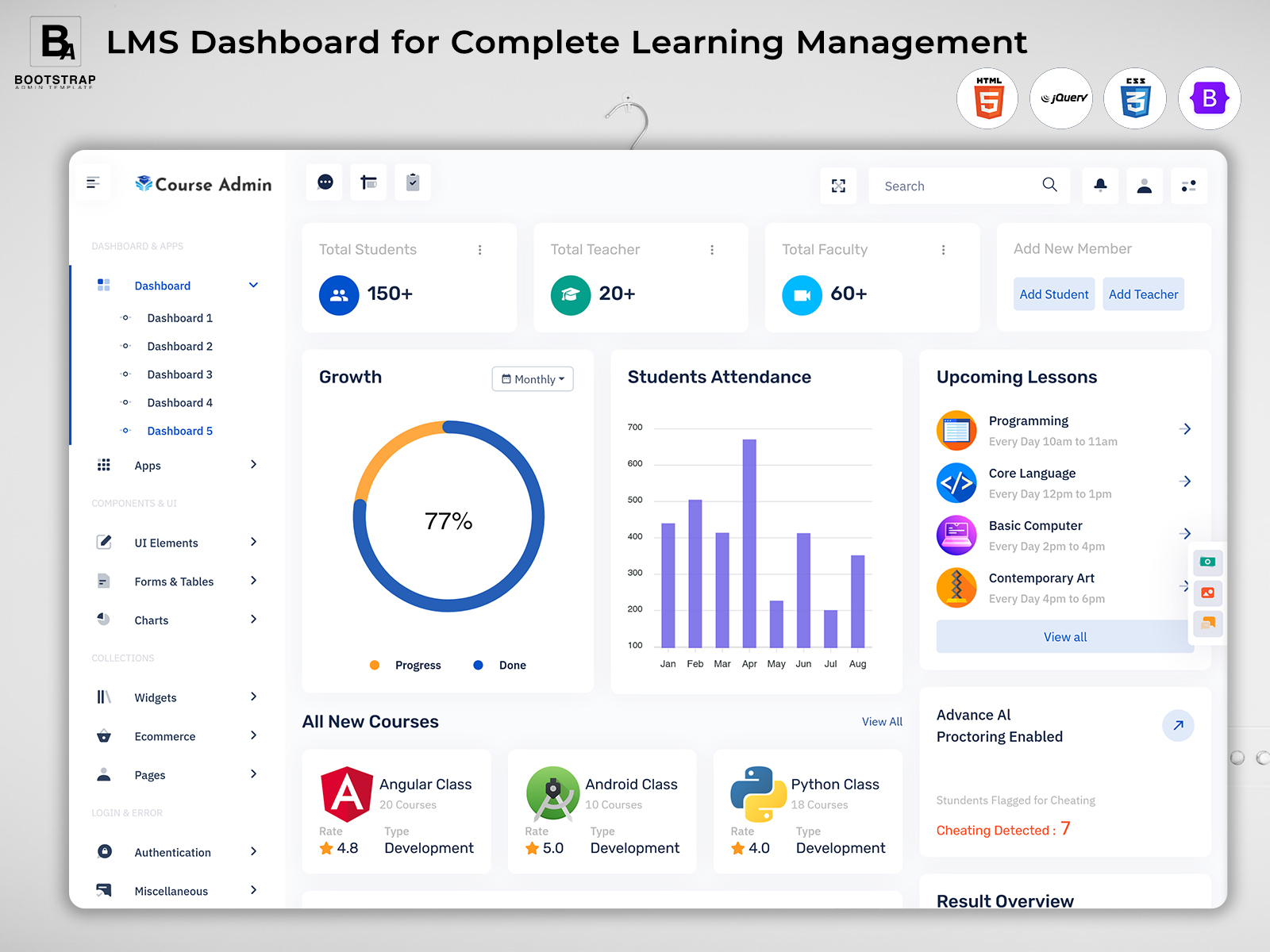
LMS Dashboard for Complete Learning Management
What is an Education Dashboard?
An education dashboard makes it possible to have all the different activities organized from one central place. The dashboard collects all the necessary information so that users do not have to look for it in different parts of the education platform. Depending on their duties, the dashboard can look differently for students, teachers, course managers, and administrators.
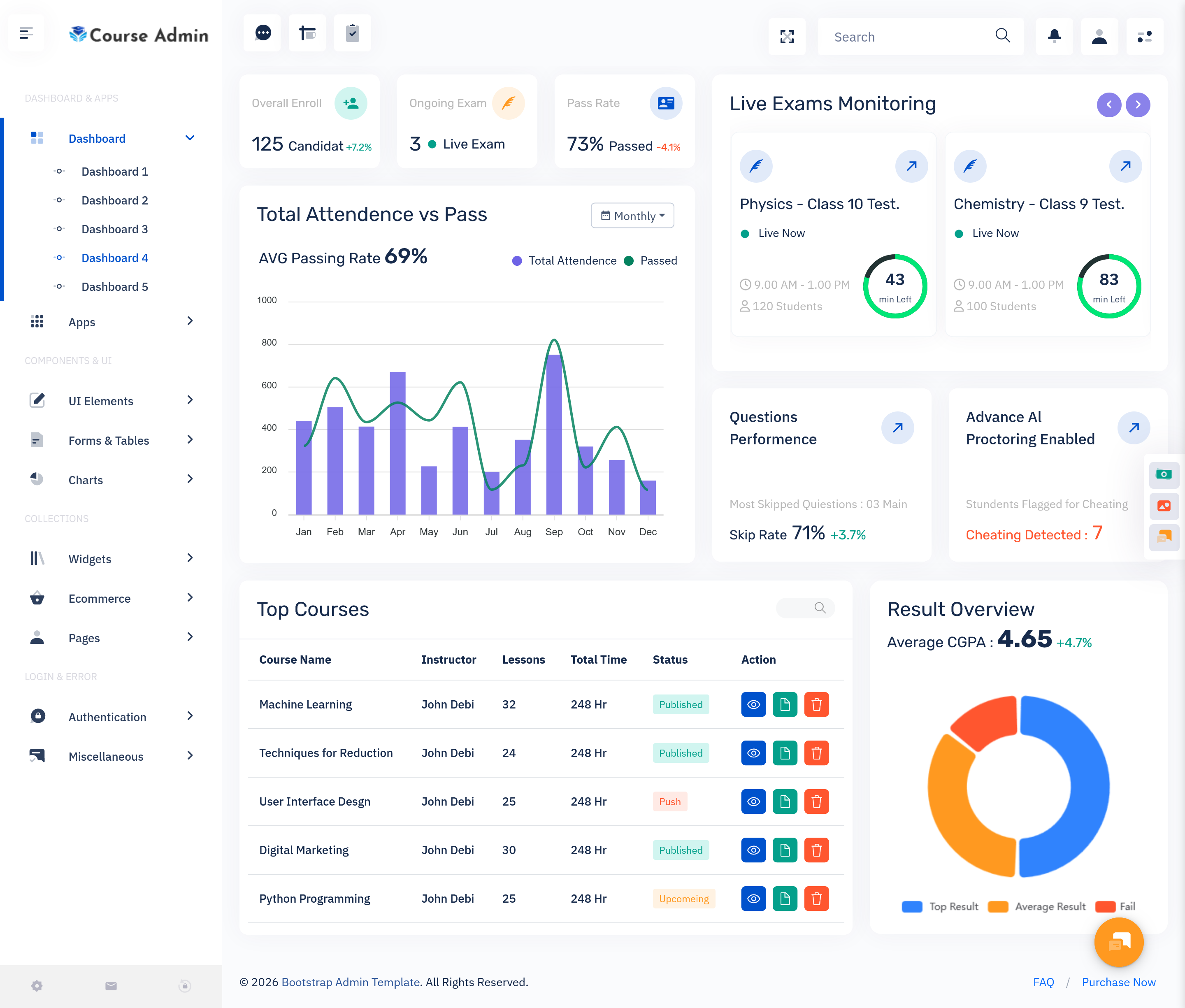
For a learner, the most useful information may be related to current learning tasks, unfinished lessons, upcoming activities, and personal progress. An instructor may need a different view that helps them understand how a class is moving through its course material. An administrator may require a broader picture of course activity and platform usage.
This makes an education dashboard more than a collection of statistics.The education dashboard’s real purpose is to create a working environment where users can understand their next steps.By presenting every available record at once the education dashboard can organize information according to the user’s role and current needs.
An LMS Dashboard is particularly useful for this purpose because learning management systems often contain several connected activities. Courses, lessons, assessments, learners, instructors, schedules, and administrative processes may all belong to the same platform. A structured dashboard can provide a common entry point to these areas.
The dashboard user interface of an LMS can also be helpful for navigation purposes as it enables users to get a visual sense before going through individual sections. The student will be able to identify the learning activity that requires focus whereas the administrator can go ahead towards the course or user.
For developers, an LMS Dashboard Template provides a ready-made frontend foundation that can be adapted to the requirements of an education platform. Instead of creating every dashboard screen from an empty project, developers can customize the interface and connect it with their own application logic.
Hence, to be effective, a dashboard can be thought of as serving the educational process rather than merely presenting information. This is because the usefulness of dashboards lies in giving insights to their users as regards their progress, their areas of concern, and what to do next.
How an LMS Dashboard Supports the Learning Journey
Learning is not something that happens, at once. A learner might start by finding a course then sign up, begin going through lessons, finish assignments, take tests, get feedback and move on to the level of study. Every single step gives information. When you look at all these steps together in the way they show a clear picture of how the learner is growing.
An LMS Dashboard can connect these stages within one working environment. Instead of showing only a final completion percentage, it can help users understand how that percentage was reached and which activities are contributing to the current learning position.
For example, a learner who has completed most lessons but has several unfinished assessments may need a different prompt from someone who has not started the course. The dashboard can distinguish these situations instead of treating both learners as identical records.
This type of organization can also help instructors. A teacher may want to understand whether learners are progressing consistently or whether certain parts of a course are creating delays. Looking at activity patterns can provide useful context for deciding where additional guidance may be needed.
Administrators can use the same information from a broader perspective. They may examine how different courses are being used, whether certain programs have unusual participation patterns, or whether particular learning stages are creating operational challenges.
The dashboard can therefore become a connection point between individual learning and institutional management. Students receive a focused view of their own activities, instructors receive classroom-related information, and administrators can work with broader platform-level records.
This approach also makes the interface more practical. Instead of forcing every user to work with the same screen, the dashboard can be structured around specific responsibilities.
Features of an Education Dashboard
An effective education dashboard should support the actual workflow of a learning platform. The following features focus on organization, decision-making, and learner support rather than simply repeating common LMS component lists.
Learning Journey Overview
The dashboard would show a summarized overview of where the learner stands at the moment. Rather than using just one progress figure, the user will be able to see the stages that he/she has already completed and what is left to do next in his/her journey.
Course Activity Organization
When learners participate in several courses, keeping track of different activities can become difficult. A structured course area can separate active learning from completed programs and make it easier to return to the right course.
Pending Activity View
Unfinished work can easily be forgotten when it is mixed with completed activities. A dashboard can place pending lessons, assessments, submissions or other tasks into a view so learners know what unfinished work needs attention.
Instructor Workspace
Teachers require different information from students. An LMS Dashboard UI can serve as a dedicated workspace for teachers, helping them to check on class-related activities, keep track of assignments, and see where their students need more help.
Course Lifecycle Management
Courses may move through different stages before and after publication. Administrators can use a dashboard to organize course preparation, active programs, revisions, and archived material according to the platform’s workflow.
Learner Segmentation
Learners do not necessarily walk through the same road. An administrative dashboard gives authorities or instructors the ability to categorize learners based on course, program, status of activity, and other important parameters, thereby simplifying the management of extensive educational environments.
Activity History
A learning platform benefits from maintaining a clear record of previous activity. Users can refer back to earlier actions, completed stages, or changes when they need context for a current learning or administrative task.
Role-Based Navigation
Students, instructors, and administrators do not need identical menus. Role-based navigation can provide each user with the sections relevant to their responsibilities while reducing unnecessary information.
Course Search and Filtering
As the number of courses grows, finding a specific program can become difficult. Search and filtering tools can help users narrow available courses by category, status, instructor, level, or other criteria defined by the application.
Action-Oriented Notifications
Notifications can be used to highlight relevant events rather than simply creating more messages. A dashboard can surface selected activities that require attention, such as unfinished work, course changes, or administrative requests.
Designing an LMS Dashboard Around Different Users
One of the most important considerations when creating an LMS Dashboard is understanding that students, instructors, and administrators use the platform for different reasons.
A student generally wants a simple path through the learning environment.An overload of administrative information may make it hard to identify the next learning task. Thus, a student-oriented dashboard could display the active learning courses, unfinished assignments, previous learning activities, and personal achievements. On the other hand, the instructor has a different role. They may want to see the progress of their class, track the learning progress of their students, maintain the courses, or find out topics that need additional support.
An instructor has a different responsibility. They may need to understand how a group is moving through the course, review learner activity, manage content, or identify areas that require additional explanation. Their dashboard can provide a broader class-oriented view without exposing unnecessary administrative information.
Administrators operate at an even wider level. They may oversee multiple programs, instructors, user groups, and platform processes. Their dashboard can focus on organizational information and provide access to areas that are not relevant to individual learners.
This separation creates a more comfortable experience for each user. Rather than designing one large interface containing everything, an LMS Dashboard UI can present information according to role.
Role-specific design also helps with permissions. An instructor may be allowed to manage a particular course but should not necessarily have access to platform-wide settings. Similarly, students should only see information relevant to their own accounts and learning activities.
This makes the dashboard both a user interface and an access layer. Developers can design the visible experience around the permissions and responsibilities established by the application’s backend.
Using an LMS Dashboard Template for Education Platforms
Building an education platform from scratch involves more than connecting courses to a database. Developers also need to create navigation structures, user pages, administrative screens, tables, forms, status views, and other frontend elements.
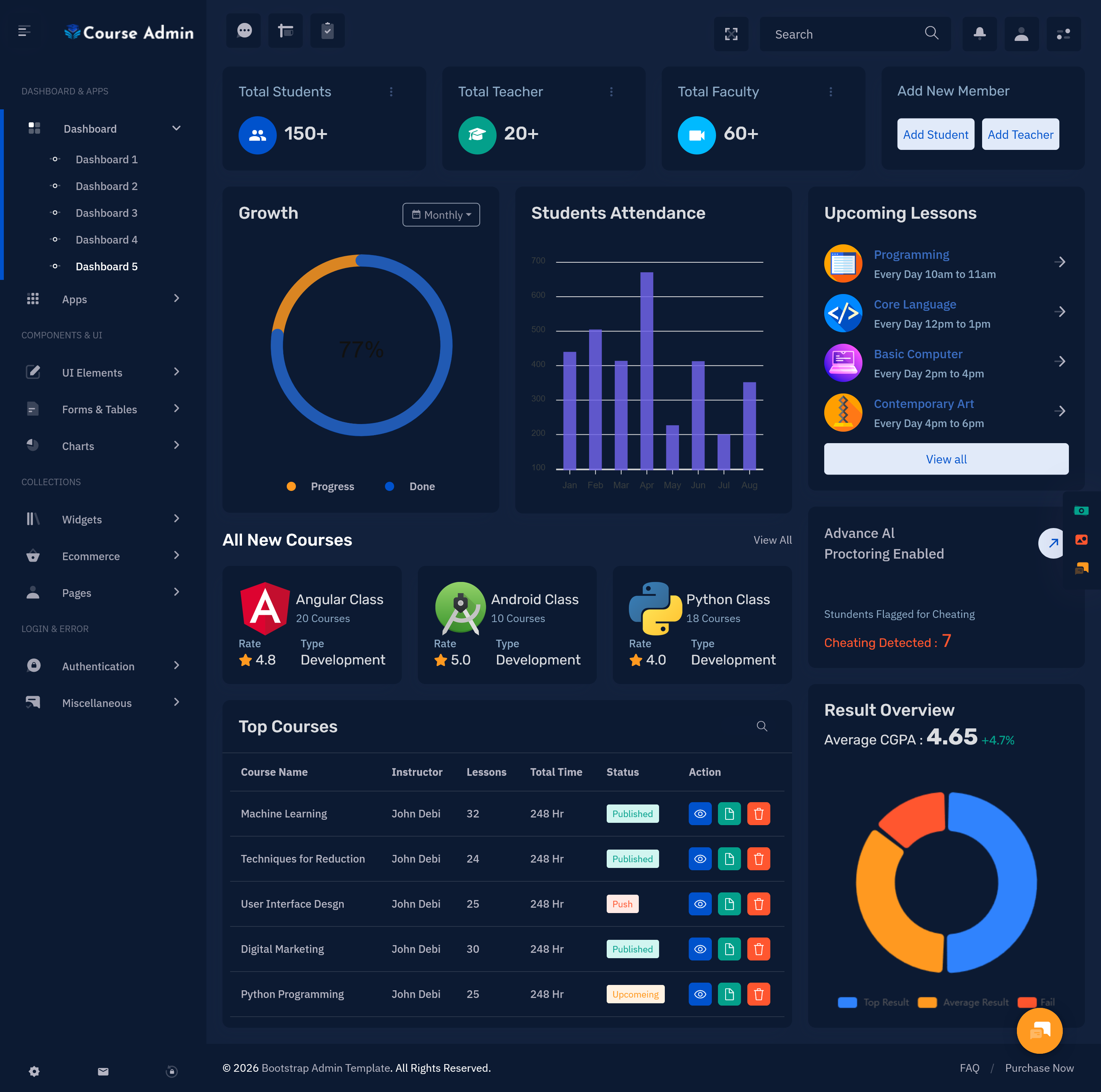
An LMS Dashboard Template can provide a starting point for this interface work. Developers can adapt existing layouts and components to match the platform’s learning structure instead of designing every administrative screen from the beginning.
The template can be customized for different education models. An online academy may need a course-focused experience, while a corporate training platform may organize users around departments and learning programs. A university system may require separate views for students, faculty, departments, and administrators.
The important part is flexibility. The template should support the application’s workflow rather than force the project into a fixed structure.
Developers can modify navigation, page layouts, tables, forms, user sections, course areas, and other interface elements. These screens can then be connected with the platform’s backend services, database, authentication system, and business rules.
An LMS Dashboard Template is therefore best viewed as a frontend foundation. It can reduce repetitive interface development while leaving developers responsible for implementing the actual learning management functionality.
Benefits of Education Dashboard
Clearer Learning Paths
An Education Dashboard can organize learning activities around the learner’s current position. This helps students understand what they have completed, what remains unfinished, and which activity deserves attention next.
Better Administrative Visibility
Administrators can work with information from different courses and user groups through one structured interface. This creates a broader view of the education platform without requiring separate manual reports for every area.
Easier Instructor Coordination
Instructors can receive a workspace focused on their teaching responsibilities. Course-related activities, learner information, and relevant tasks can be organized according to the instructor’s role, reducing unnecessary navigation.
Reduced Information Overload
A role-based dashboard does not need to display every available record to every user. Showing relevant information based on responsibilities can make the interface easier to understand and help users concentrate on their actual tasks.
More Organized Course Management
An LMS dashboard can help administrators separate active courses, upcoming programs, revised content, and archived material. This makes larger course libraries easier to maintain as the education platform expands.
Faster Access to Important Tasks
Pending activities can be separated from completed records so users can identify what requires action. This can be useful for learners managing assignments and administrators handling operational requests.
Flexible Platform Development
An LMS Dashboard Template gives developers reusable interface structures that can be adapted for different educational models. This can reduce repetitive frontend work while allowing the application to retain its own learning workflows and technical architecture.
Bootstrap Admin Template for LMS Dashboard Development
Bootstrap Admin Template provides reusable admin interfaces and dashboard foundations that developers can adapt for education and learning-management projects. Its broader template collection includes dashboard layouts, forms, tables, widgets, authentication screens, charts, and other interface elements that can be customized for different web applications.
For an LMS project, developers can use this type of foundation to create an LMS Dashboard, LMS Dashboard UI, or LMS Admin Dashboard around their own learning workflows. The interface can be connected with custom course management, user roles, databases, authentication, assessments, and other backend functionality. The template itself serves as the frontend starting point rather than a complete learning management system.
Conclusion
An Education Dashboard can make digital learning easier to organize by bringing learners, instructors, courses, and administrative processes into a structured environment. Its purpose is not simply to display academic numbers but to help each user understand what is happening and what requires attention.
An LMS Dashboard can give learners a clearer view of their learning journey, while an LMS Admin Dashboard can provide administrators with a broader operational perspective. For developers, an LMS Dashboard Template offers a flexible starting point for building these different experiences.
The most effective approach is to design the dashboard around the people using it. Students need clarity, instructors need useful classroom context, and administrators need broader control. When these needs are reflected in the interface, an LMS Dashboard UI can become a practical part of the entire digital learning experience.
FAQ
What is an Education Dashboard used for?
A Bootstrap Admin Template Education Dashboard is used to organize information related to digital learning and academic management. Depending on the platform, it can help students access courses, instructors manage learning activities, and administrators oversee users, programs, and educational operations from a centralized interface.
How does an LMS Dashboard help students?
A Bootstrap Admin Template LMS Dashboard can give students a clear view of their current courses and learning activities. It can organize unfinished tasks, active programs, recent activity, and other relevant information so learners can understand their current position without searching through multiple sections.
What is the purpose of an LMS Admin Dashboard?
A Bootstrap Admin Template LMS Admin Dashboard is designed for administrators who manage the broader learning platform. It can provide access to course management, user administration, instructor-related information, platform settings, and other operational areas that individual learners may not need to access.
Can an LMS Dashboard Template be customized?
Yes. Developers can customize an LMS Dashboard Template according to the requirements of their education platform. They can modify layouts, navigation, colors, tables, forms, course sections, user views, and other frontend elements before connecting the interface with their own backend functionality.
Can the same LMS Dashboard UI be used for students and teachers?
The same underlying design system can support both users, but their individual dashboards should usually be adapted to their responsibilities. Students may need learning-focused information, while teachers may require class activity and course-management functions.
Is an LMS Dashboard Template a complete learning management system?
No. A Bootstrap Admin Template LMS Dashboard Template generally provides the frontend interface foundation. A complete learning management system also requires backend services, databases, authentication, permissions, course logic, assessment functionality, content management, and other application-specific features.
What should developers consider before choosing an LMS Dashboard Template?
Developers should consider the learning model, user roles, course structure, required pages, customization options, framework compatibility, and backend integration needs. The template should provide enough flexibility to support the platform’s actual workflow rather than limiting how the education system operates.
